
Stay up-to-date on all product updates for Pope Tech’s Canvas Accessibility Dashboard. Product updates include details on all major feature releases.
For more details about features and fixes, review the release notes.
If there are any questions or feedback, please contact us.
March 10 – BeeLine Reader
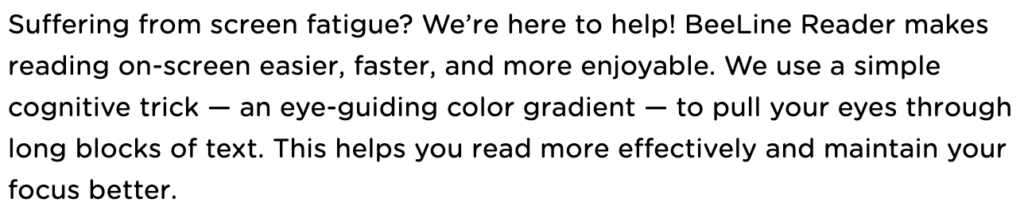
BeeLine Reader, an award-winning readability tool, is now available to Canvas Accessibility Dashboard users.
This partnership means Canvas is the first ever LMS to have BeeLine Reader available on the web.
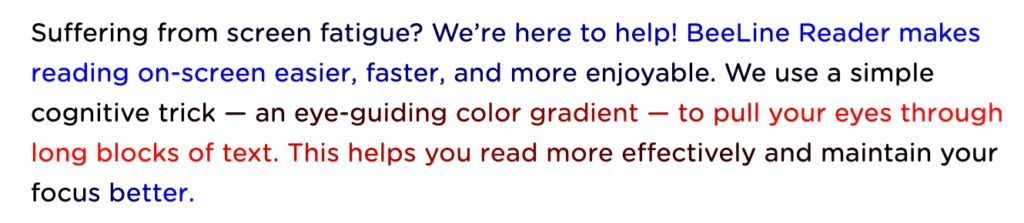
BeeLine’s readability feature uses color gradients to help students and faculty read more easily. This helps readers of all ability levels, but is especially helpful for readers with disabilities like dyslexia, ADHD, or visual impairments.
This feature is included in all existing Pope Tech Canvas Accessibility customers’ plans.
If you’re interested in activating BeeLine Reader so students and instructors can begin using it, contact your account representative. If you’d like to learn more about how to start making your Canvas courses more accessible with Pope Tech’s Accessibility Guide and BeeLine Reader, fill out our contact form.
Give BeeLine Reader a try and learn more in our Pope Tech and BeeLine Reader Partnership Announcement.
February 19 – PDF Scanning
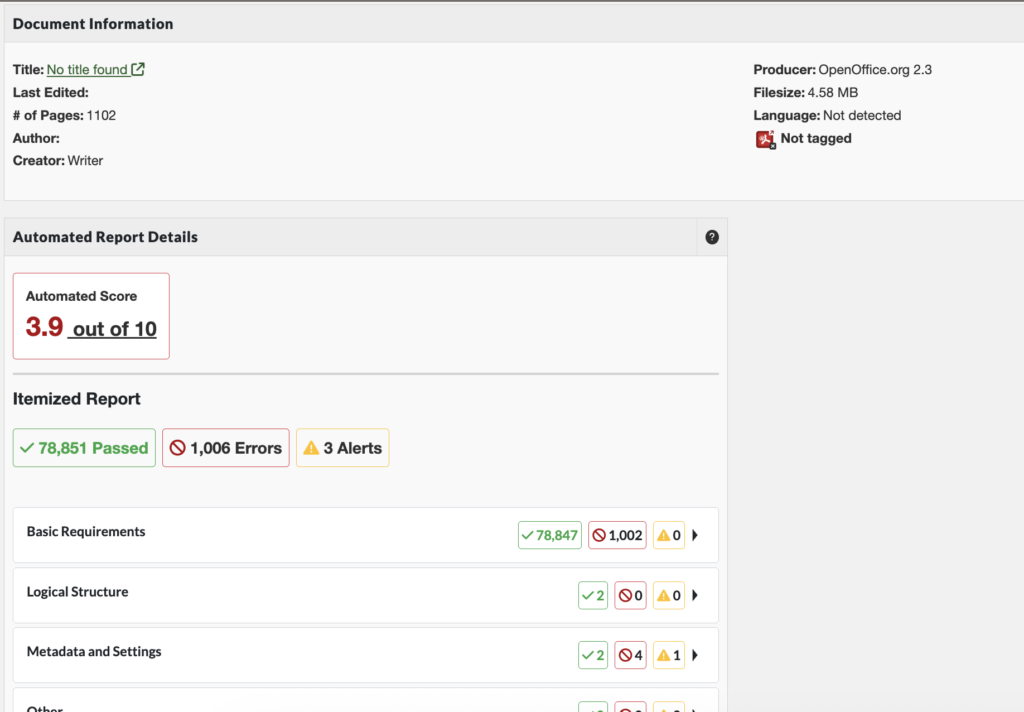
PDF Scanning is now available in Pope Tech! PDF Scanning (Powered by Grackle) uses the PDF/UA standard for testing.
With PDF Scanning, Pope Tech identifies PDFs that have issues and the types of issues they have.
Before, you’d have to open a separate PDF remediation tool, like Adobe Acrobat Pro, to know what accessibility issues a PDF has. Now, you can get a detailed snapshot right in Pope Tech, making it easier to:
- Inventory PDFs on your websites.
- Understand the best way to fix the PDF (remove if out of date, update, or convert to HTML webpage).
- Prioritize PDFs that have the most critical issues.
Learn more about PDF Scanning for Canvas.
PDF Scanning is in beta and is available as an add-on. Contact your account representative or support for pricing details.
February 19 – Updated Course Dashboard Design with Document and Video Dashboards
We’re excited to introduce the new Course Dashboard! This also includes a new Documents and Video dashboard.
The new course dashboard is currently opt-in only. To opt-in, contact your account representative.
The updated course dashboard encourages action by:
- Organizing issues in the same categories that instructors see in the Accessibility Guide.
- Highlighting emerging issues and progress.
- Giving resources that new or returning instructors can use to start accessibility efforts.
- Groups Document and Video results together to make it easy to know what documents and videos need reviewing.
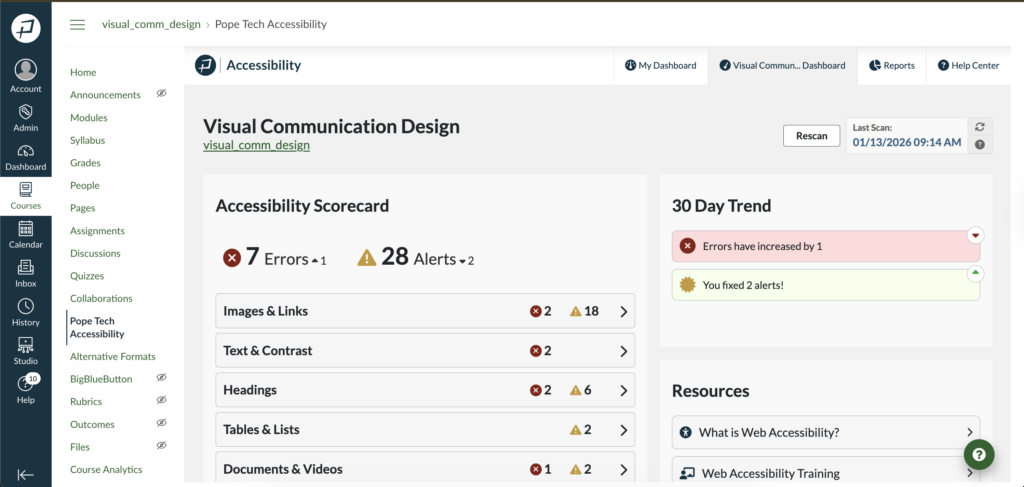
There are three new widgets to help you understand your course’s current accessibility health and progress:
- Accessibility Scorecard: Shows how many errors and alerts are in each category. Can drill into just those issues.
- 30 Day Trend: Shows how errors and alerts have increased or decreased.
- Resources: Gives three resources beginners can use to orient them to accessibility.
Document and Videos Dashboard
The Documents and Videos Dashboard organizes all Document and Video results in one place. Documents need a manual review, so this makes it easy to know what documents are in the course. The Document view gives even more detail about PDFs when paired with the PDF scanning add-on.
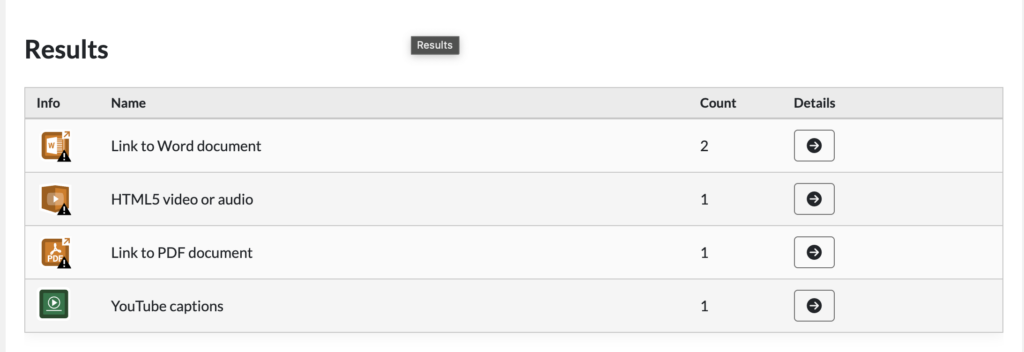
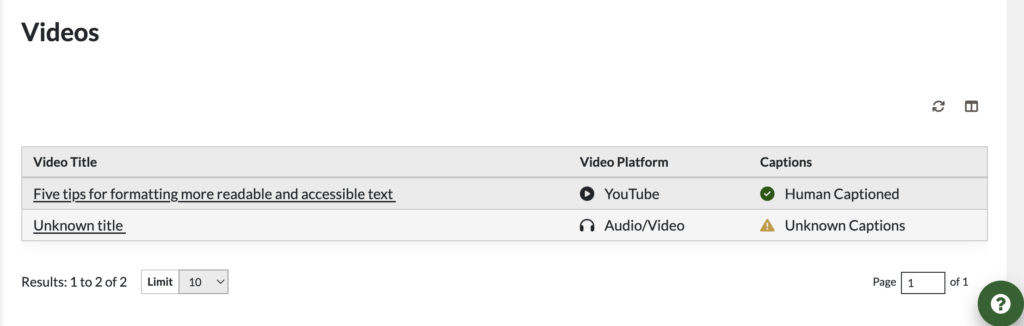
Videos have additional, helpful results that tell you if it has human captions or not, making it easy to know what videos to prioritize.
Navigate to the Document and Videos Dashboard
Navigate from the Course Dashboard: Under the Accessibility Scorecard, select Documents and Videos.
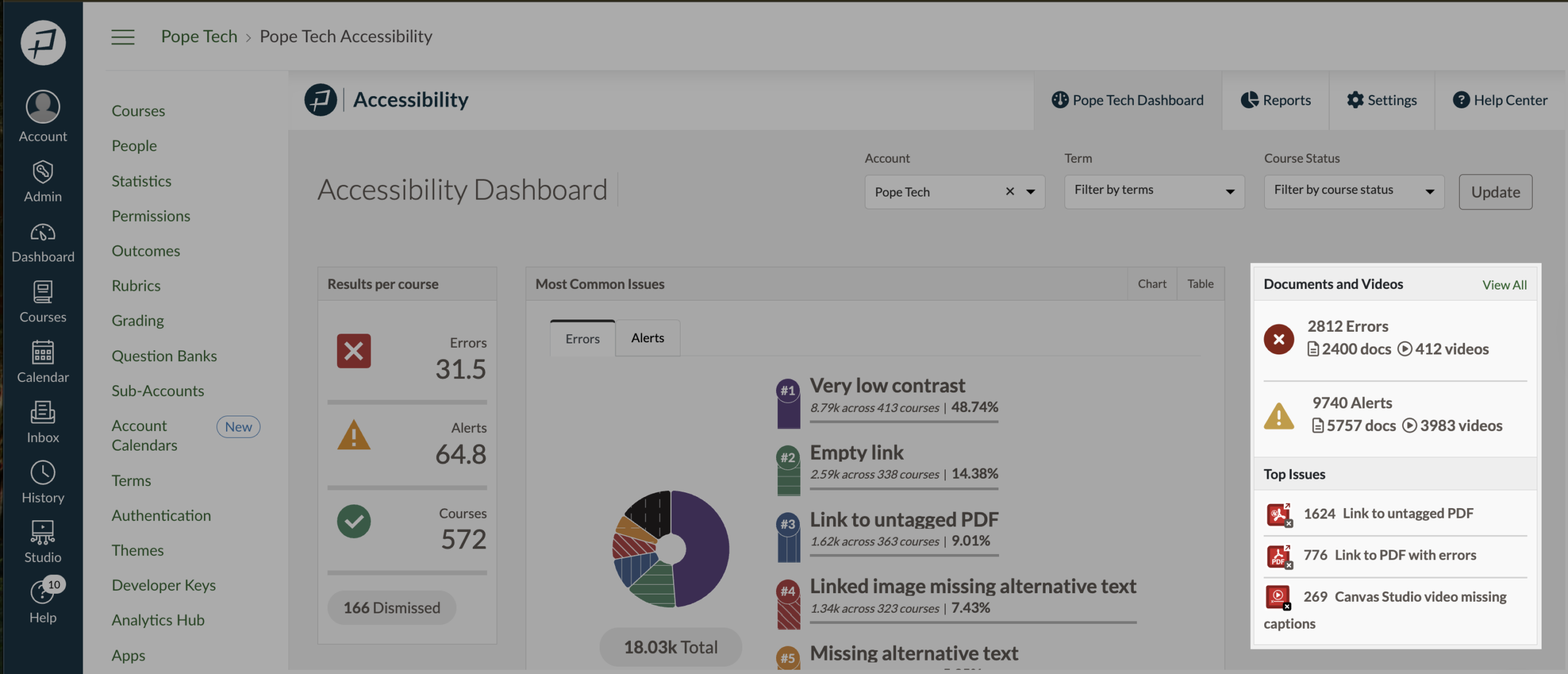
Navigate from the Admin Dashboard:
- In the global navigation, select Admin. Then, select the account.
- In the admin navigation menu, select Pope Tech Accessibility.
- Review the Documents and Videos widget or select View All to access the Documents and Videos Dashboard.
Launch for all customers
The new Dashboards will be launched for all customers on Tuesday, June 16, 2026.
January 13 – New Detail View in Canvas Dashboards
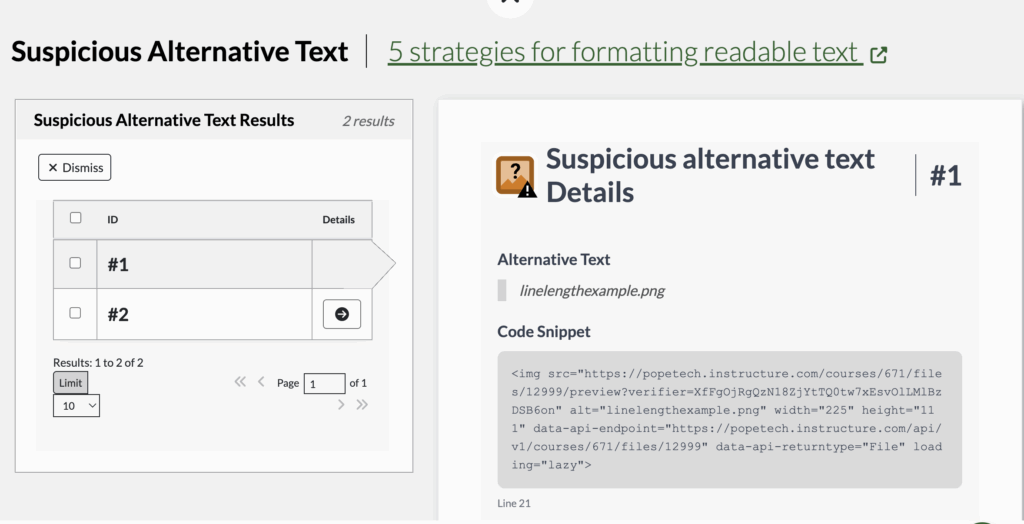
Accessibility results now have a detail view that give information specific to that result type if applicable, the code snippet, and documentation.
For example, a Suspicious alternative text detail view shows the Alternative text, code snippet, and documentation.
For additional recent updates, view: