
Stay up-to-date on all product updates for Pope Tech’s Web Accessibility Platform. Product updates include details on all major feature releases.
For more details about features and fixes, review the release notes.
If there are any questions or feedback, please contact us.
Sign up for product update emails
Sign up to get Pope Tech product updates emailed to you. Unsubscribe at any time.
June 29 – Website and Group Tagging
You can now organize your websites and groups by customizable tags. This gives you another way to filter and view data on the dashboard.

For example, your groups can mimic your organization’s structure. Then, tags can tackle any other organization needed, like organizing websites by server, CMS type, who’s responsible, or a specific initiative only some websites are part of.
Tags can be added to groups and websites when creating them or editing them. Each group and website can have up to five tags at a time.
Learn how to start using tags.
June 29 – Compare changes for websites and groups within a date range
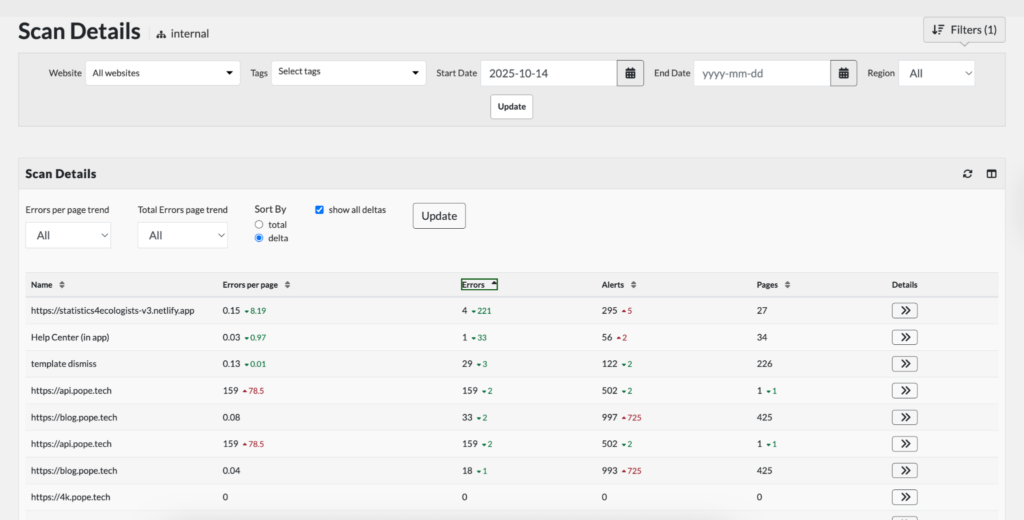
In the Scan Details view, you can now filter and organize accessibility changes. This means you can quickly see which websites have improved the most and which have had the most regressions.
Learn how to navigate to the Scan Details view and use it to find insights into your data.
April 20 – Exportable AIM Score and Accessibility Progress Reports
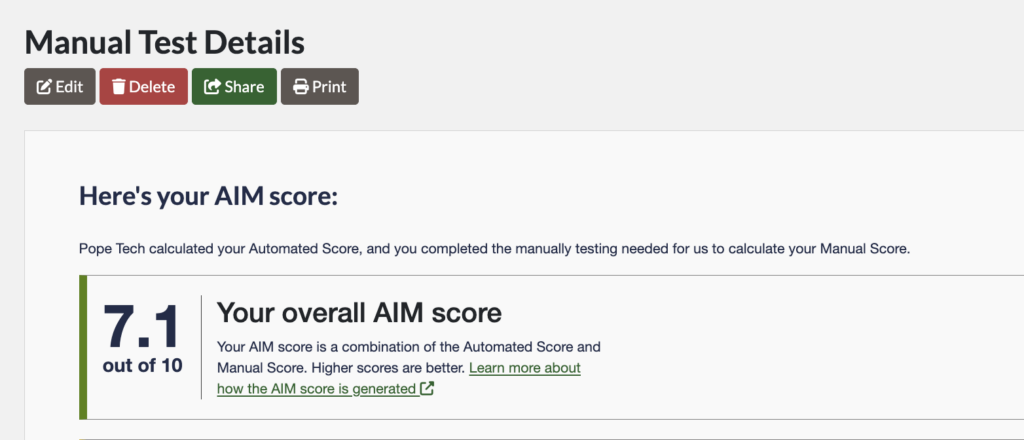
Let’s start with what the AIM Score is. The AIM Score is a more reliable metric because it includes both manual and automated testing. Pope Tech automatically generates the automated testing score based on your website’s scan data. For the manual score, Pope Tech guides you through a four-page manual test. Then your manual testing score is combined with your automated score to give you your AIM Score.
The Accessibility Progress Report is another manual testing option in Pope Tech. It’s guided questions that help determine your current accessibility state and what to do next.
We’ve updated the AIM Score and Accessibility Progress Reports so they are easy to share with anyone through a public link, email, or print option.
After finishing your AIM Score or Accessibility Progress Report, select Share or Print. In the Share option, you can generate a public link, send the public link to anyone, edit the email text, and revoke access to the public link at any point.
February 19 – PDF Scanning
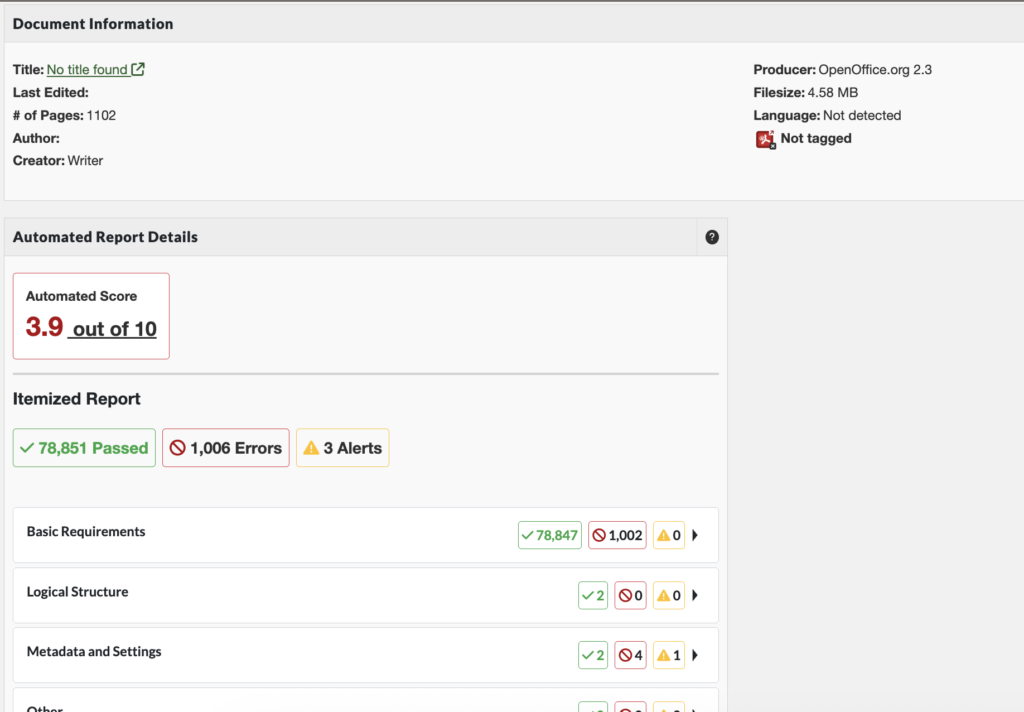
PDF Scanning is now available in Pope Tech! PDF Scanning (Powered by Grackle) uses the PDF/UA standard for testing.
With PDF Scanning, Pope Tech identifies PDFs that have issues and the types of issues they have.
Before, you’d have to open a separate PDF remediation tool, like Adobe Acrobat Pro, to know what accessibility issues a PDF has. Now, you can get a detailed snapshot right in Pope Tech, making it easier to:
- Inventory PDFs on your websites.
- Understand the best way to fix the PDF (remove if out of date, update, or convert to HTML webpage).
- Prioritize PDFs that have the most critical issues.
Learn more about PDF Scanning for Web.
PDF Scanning is in beta and is available as an add-on. Contact your account representative or support for pricing details.
January 31 – Scan Time to Live (TTL) Feature
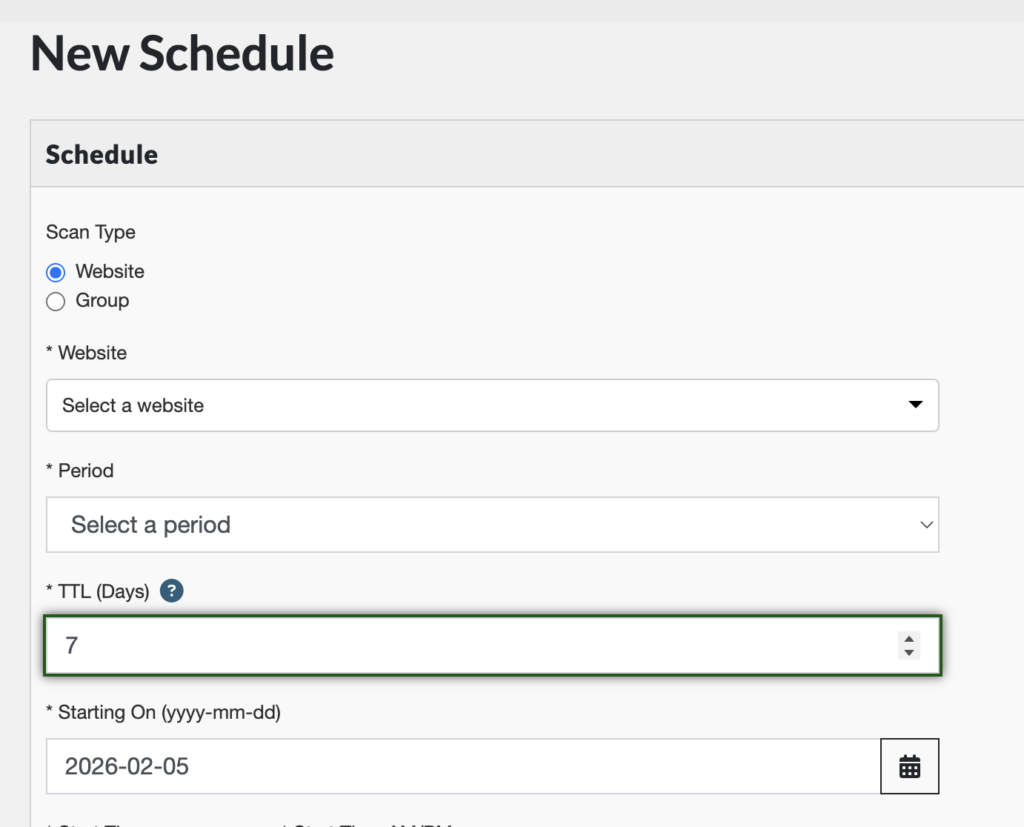
Added a new field to schedule scan options. The TTL (Days) field determines whether or not the scheduled scan uses an existing scan or starts a new one.
For example, if your TTL is set to 7 days, the scheduled scan will re-use the scan data from a scan completed within the past 7 days.
This helps limit unnecessary scans, improving scan times.
For additional recent updates, view: