Pope Tech release notes for 2026.
Want to know what has been updated recently at Pope Tech? You are in the right place. These release notes include all updates, including small updates and bug fixes.
The Release Notes include updates for both Pope Tech products, the Web Accessibility Platform (scan websites) and Canvas Accessibility Dashboard (scan courses).
Any questions or feedback, don’t hesitate to contact us.
March 10th Release Notes
This update includes accessibility improvements, feature updates, and bug fixes. The Canvas Accessibility Dashboards include a major feature release, BeeLine Reader.
Web Accessibility Platform Updates
- Fixed issues with Scan Results widget double-loading when adjusting filters.
- Improved messaging and table updates when bulk editing Scheduled Scans.
- Fixed missing template filter.
- Improved accessibility on Dashboard widgets and data tables.
- Improved form accessibility.
- Improved keyboard accessibility of the Group Hierarchy widget.
- Added a new alert result that detects oEmbed resources.
- Fixed issue with Jira integration breaking often.
- Updated link-related result details so the link text field shows the link’s text instead of the URL.
Canvas Accessibility Dashboard Updates
BeeLine Reader
BeeLine Reader, an award-winning readability tool, is now available to Canvas Accessibility Dashboard users.
BeeLine’s readability feature uses color gradients to help students and faculty read more easily. This helps readers of all ability levels, but is especially helpful for readers with disabilities like dyslexia, ADHD, or visual impairments.
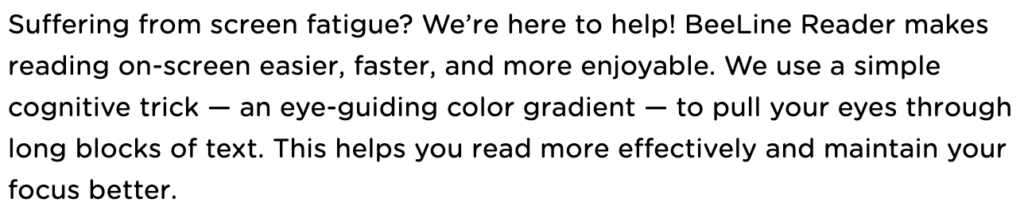
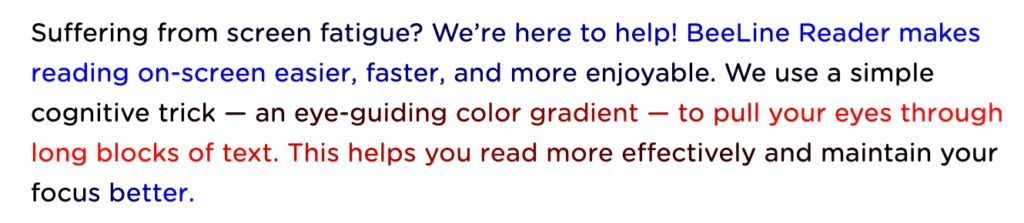
This feature is included in all existing Pope Tech Canvas Accessibility customers’ plans. Give BeeLine Reader a try and learn more in our Pope Tech and BeeLine Reader Partnership Announcement.
Other Canvas Accessibility Dashboard updates
- Made sure contrast tools appear in all content blocks with a contrast error.
- Improved the process of deleting a dismissed result, so filters and view stays active after deleting.
- Fixed an isolated issue where courses with over 191 characters couldn’t be enabled.
- Added Link to Canvas Asset documentation in Accessibility Guide.
- Improved focus border of the result in the Canvas editor when it’s selected in the Accessibility Guide.
- Improved error messaging for PDF scanning when the PDF link returns a 404 or 403 error.
- Improved screen reader accessibility and keyboard functionality in dashboard widgets.
- Improved Last Scan progress indicator on Course Dashboard to show PDF Scanning status when the course is scanning.
- Fixed button styling issue for an active tab when viewing documentation in the Accessibility Guide.
- Increased alternative formats icon size.
- Updated link-related result details so the link text fields show the link’s text instead of the URL.
- Added a new alert result that detects oEmbed resources. oEmbed resources that link to YouTube videos are automatically converted to a YouTube result type.
February 24th Release Notes
Minor bug fixes and updates.
Web Accessibility Platform Updates
- Improved error messaging for crawls that fail due to SSL configuration.
- Fixed issue with certain sites getting 403 errors when trying to crawl.
February 19th Release Notes
Two major features were announced.
PDF Scanning for Canvas and Web
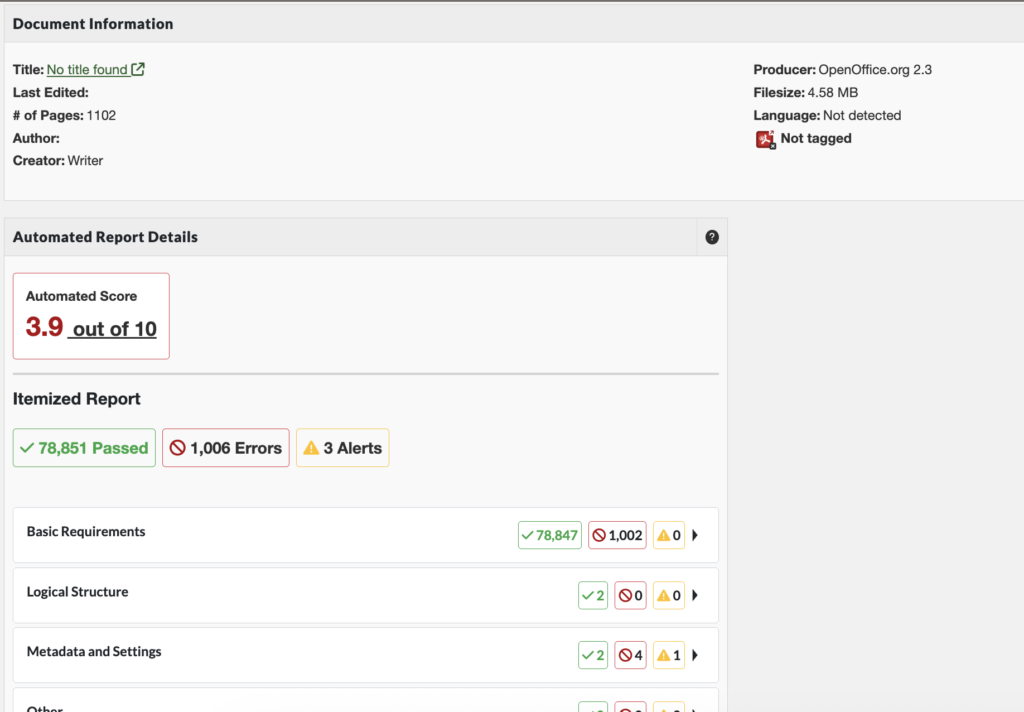
Both Canvas Accessibility Dashboards and the Web Accessibility Platform now have PDF Scanning. This means you can scan PDFs for issues directly in your Pope Tech tool. PDF Scanning is in beta and is available as an add-on. Contact your account representative or support for pricing details.
For more information on this new feature, check out:
- Web Product Updates
- Web PDF Scan Results Documentation
- Canvas Product Updates
- Canvas Scan Results Documentation
Updated Canvas Course Dashboard
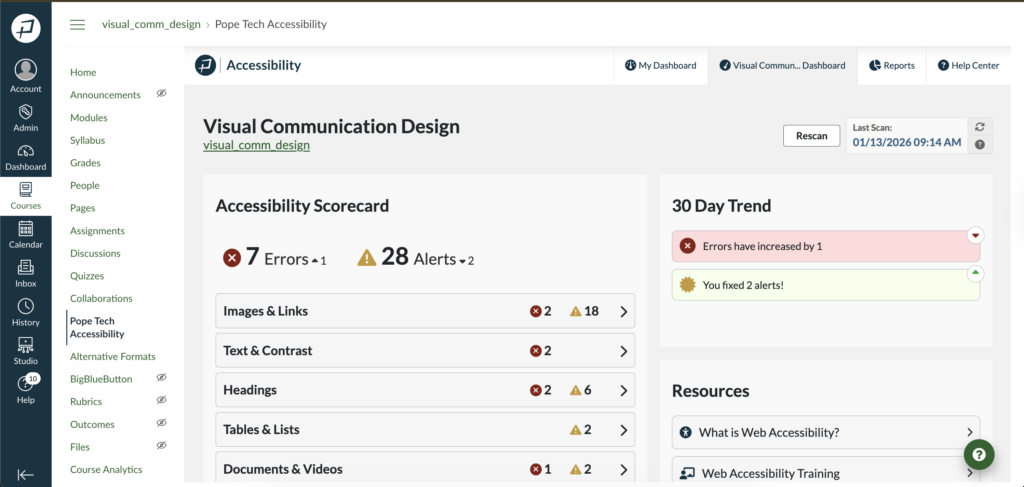
The updated Course Dashboard includes three new widgets and a Documents and Videos dashboard.
The three new widgets are:
- Accessibility Scorecard: Shows how many errors and alerts are in each category. Can drill into just those issues.
- 30 Day Trend: Shows how errors and alerts have increased or decreased.
- Resources: Gives three resources beginners can use to orient them to accessibility.
The Documents and Videos Dashboard is accessed from the Accessibility Scorecard and organizes all Document and Video results in one place.
The new course dashboard is currently opt-in only. To opt-in, contact your account representative.
Learn more at Canvas Product Updates.
February 12th Release Notes
Minor updates and bug fixes.
Web Accessibility Platform Updates
- Improved the algorithm for matching HTML results, which makes codeview, result dismissal, and region matching more reliable.
- Fixed filtering throughout the product so results update to when new filters are set.
- Gave search labels unique names when multiple search fields are on a page.
- The website name in the Result Details list now links back to the Website’s edit page.
- Fixed issue where the User list wasn’t sorting correctly when sorting by the Last Seen column.
Canvas Accessibility Dashboard Updates
- Improved screen reader support when the user opens help documentation from the Accessibility Guide.
- Fixed the relative document link in result details for internal file documents to be an absolute URL to the document’s location.
- Updated Canvas scanner, so it still scans content blocks even with a misconfigured Canvas Studio setup.
- Fixed it so course reports show the most common error as Contrast Error if that is the only common error.
- Improved heading accessibility in Accessibility Guide.
January 31st Release Notes
Includes minor updates and bug fixes.
Web Accessibility Platform Updates
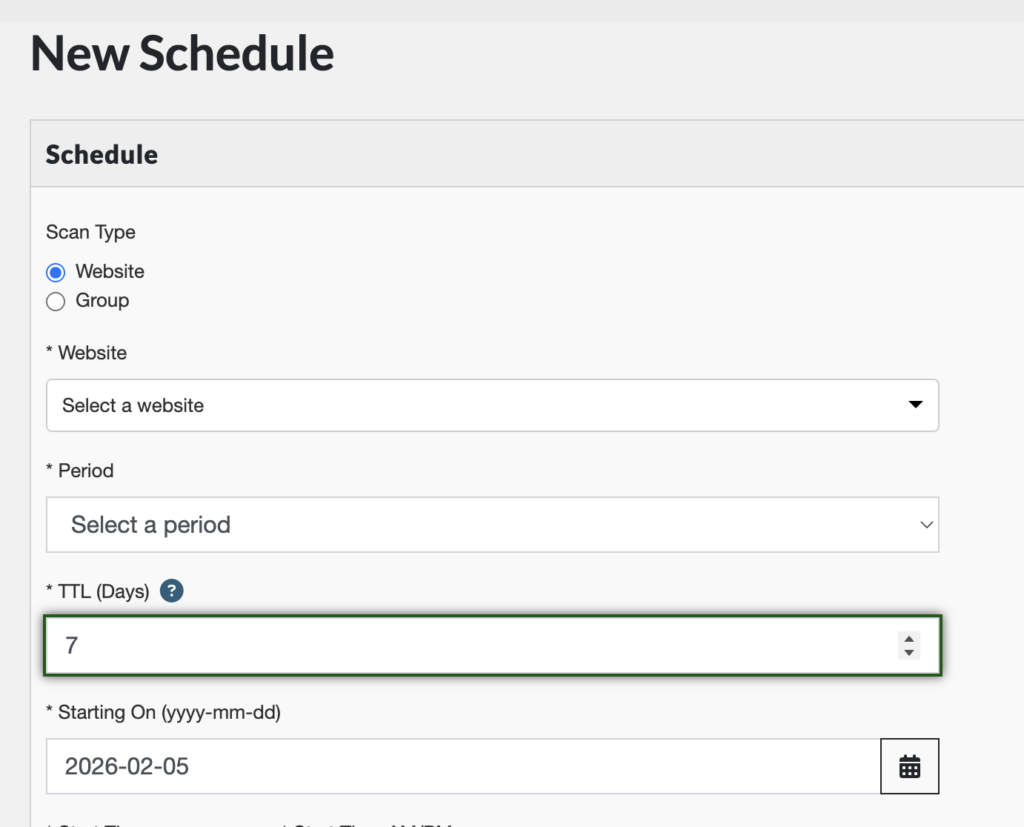
Scan Time to Live (TTL) Feature
Added a new field to schedule scan options. The TTL (Days) field determines whether or not the scheduled scan uses an existing scan or starts a new one.
For example, if your TTL is set to 7 days, the scheduled scan will re-use the scan data from a scan completed within the past 7 days.
This helps limit unnecessary scans, improving scan times.
Other Web Accessibility Platform Updates
- Added last scanned date to CSV reports.
- Fixed issues when mass-importing users.
Canvas Accessibility Dashboard Updates
- Fixed issue where Accessibility Guide wasn’t detecting Canvas Studio videos.
- Fixed issue where the course’s dismissed results list was populated with dismissed results not related to the course.
- Removed unnecessary links in the Result Detail HTML report.
- Fixed links in Result Details to go to available Result Documentation.
- Fixed issue where dismissed Kaltura and HTML5 results from the Accessibility Guide weren’t dismissing in the Dashboard.
- Fixed conversion discrepancies with the Alternative Formats tool.
- Improved error messages when inputs are missing for the Alternative Formats tool.
- Added the Alternative Formats icon back to all page views.
- Made responsive improvements to the Accessibility Column on the courses’ pages list.
- Resolved contrast error discrepancies between the Dashboard and the Accessibility Guide.
January 23rd Release Notes
This update includes minor bug fixes.
Web Accessibility Platform Updates
- Improved process for bulk editing scan redirect filters, and fixed issue where bulk edits weren’t working.
- Fixed an issue where the user field for the person who dismissed a result wasn’t showing.
- Resolved issue with AIM score where completed questions were marked as incomplete in certain scenarios.
- Added a “Pages without errors” column to Summary CSV reports.
- Fixed the mass website importing process so that the group field is no longer required. Websites with no group are added to the account’s root group.
- Fixed issue where certain results weren’t dismissing in Inspect view.
January 13th Release Notes
Web Accessibility Platform Updates
- Updated crawler to fix issues with certain SSL configurations.
- Added the ability to edit SSO users even if SSO is turned off for the organization or if the user is part of two organizations and one requires SSO.
Canvas Accessibility Dashboard Updates
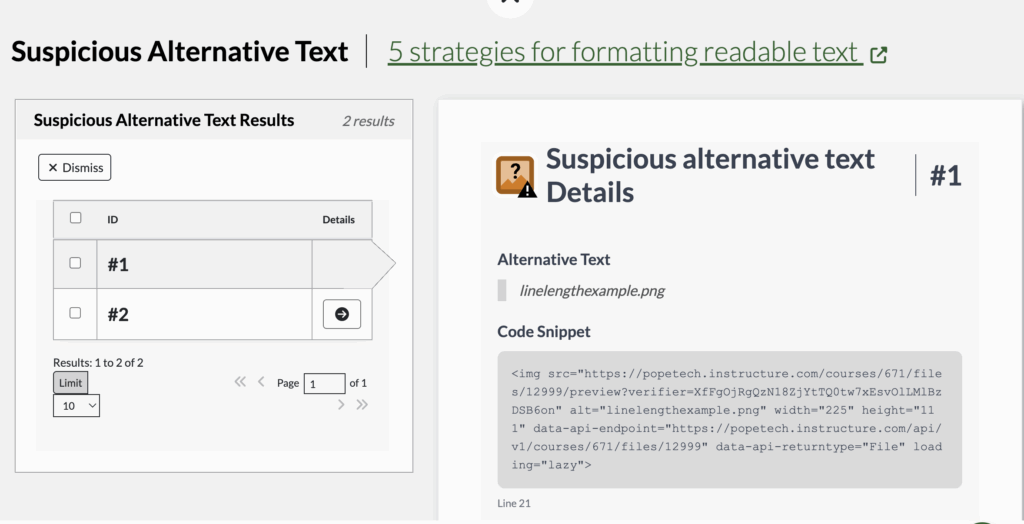
New Detail View in Canvas Dashboards
Accessibility results now have a detail view that give information specific to that result type if applicable, the code snippet, and documentation.
For example, a Suspicious alternative text detail view shows the Alternative text, code snippet, and documentation.
Other Canvas updates
- Captions on YouTube videos added through Canvas Studio are now detected.
For additional recent updates, view Release Notes – 2025.