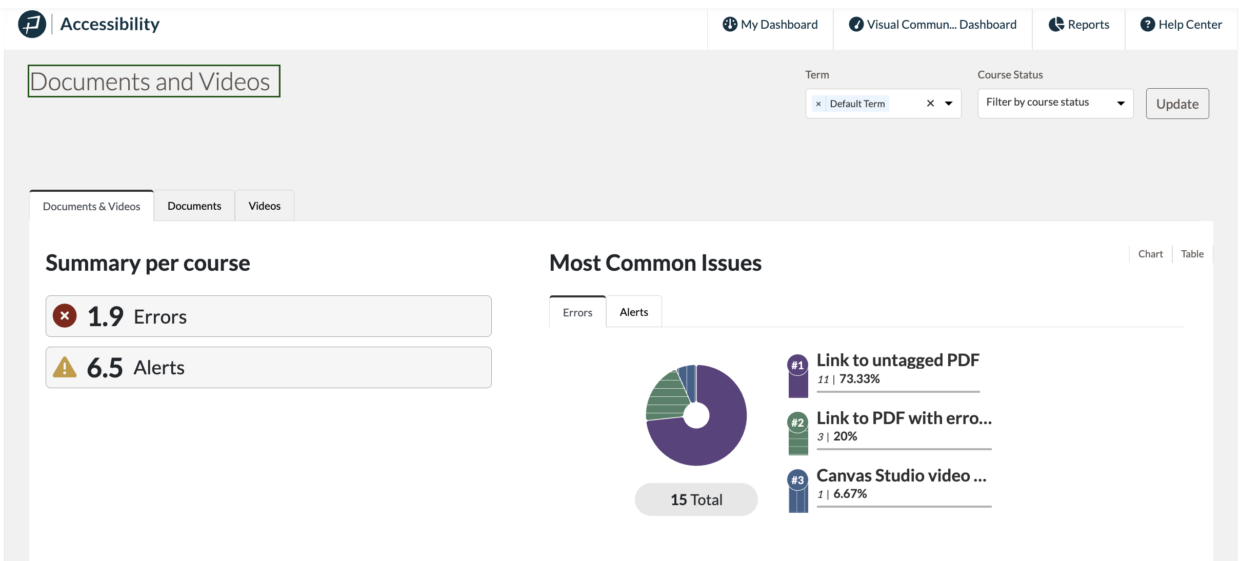
Pope Tech’s Canvas Accessibility Dashboards have a Documents and Video Dashboard, which lists all the documents and videos in the courses.
This makes it easy for instructors to inventory their documents and videos for an accessibility review.
In this article, we’ll cover how to navigate to the Documents and Videos Dashboard and how to use it:
- Navigate to the Documents and Videos Dashboard
- Use the Documents and Videos Dashboard
- Use the Dashboard with PDF Scanning
- Use the Dashboard with YouTube and Canvas Studio Results
- Accessible Documents and Videos Resources
Navigate to the Documents and Videos Dashboard
You can get to the Documents and Videos Dashboard from the Course Dashboard, My Dashboard, and Admin Dashboard.
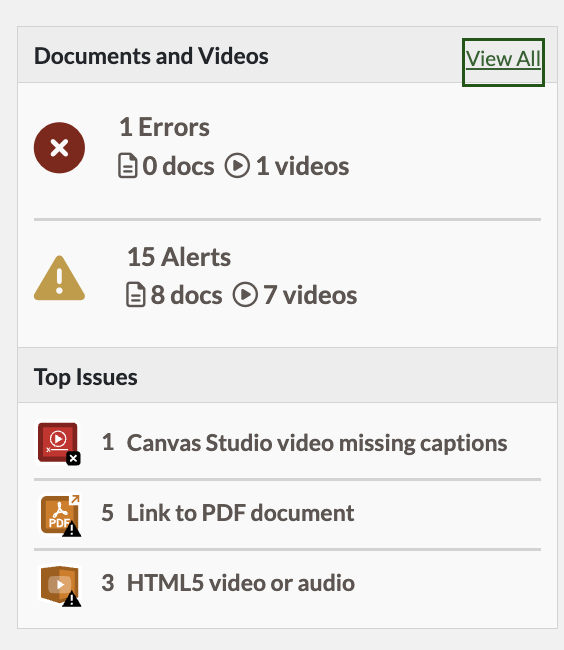
From the My Dashboard or Admin Dashboard, select View All in the Documents and Videos widget.
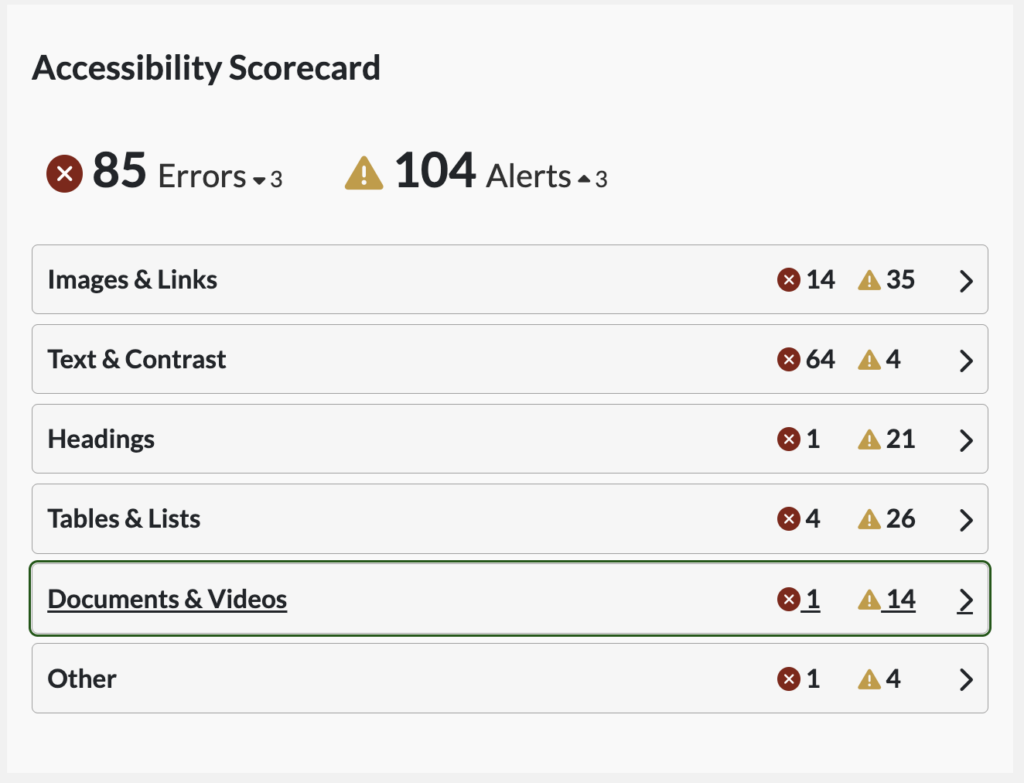
From the Course Dashboard, select Documents and Videos from the Accessibility Scorecard widget.
Use the Documents and Videos Dashboard
Once you’re on the Documents and Videos dashboard, you can view a list of all the Documents and Videos under Results.
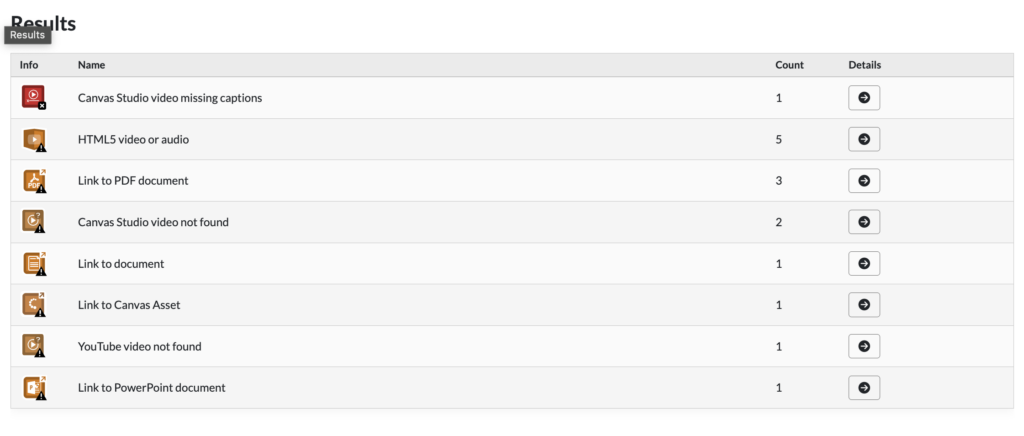
You can also select the Documents or Videos tab at the top to focus on a single type.
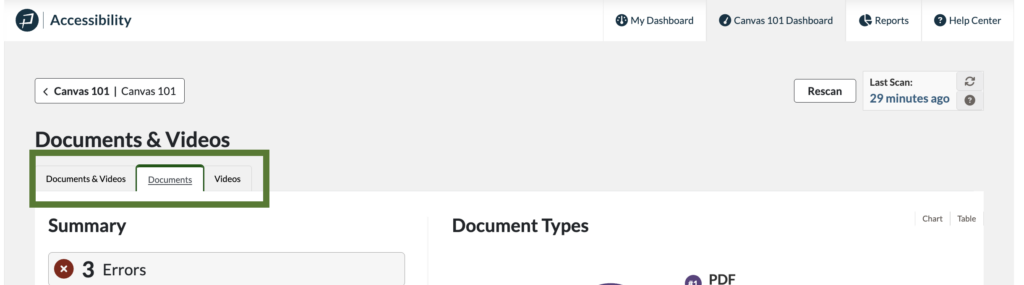
Now that you have an inventory of your documents and videos, you can more easily review them for accessibility.
Use the Dashboard with PDF Scanning
Customers with the PDF Scanning add-on will have additional PDF results and PDF Scan Details reports to help them prioritize which documents to focus on.
Learn how to access PDF Scan Detail reports and the additional PDF results in our PDF Scan Results article.
Use the Dashboard with YouTube and Canvas Studio Results
Pope Tech Canvas customers can turn on YouTube video caption results or connect Canvas Studio to access additional video results.
The additional results help prioritize videos by telling you which have automated captions, human captions, no captions, and more.
Additional YouTube accessibility results
- YouTube captions (Feature)
- YouTube automated captions (Alert)
- YouTube video missing captions (Error)
- YouTube video not found (Alert)
If you’d like to include these results in your dashboards and reports you can turn them on in your Admin Settings.
Additional Canvas Studio accessibility results
Once set up the integration with Canvas Studio will detect if videos in your courses added through Canvas Studio have a caption track added. This helps prioritize results. If the integration is not set up in your account Canvas Studio videos are still detected but show up as an Alert for all videos.
To set this up follow the steps in the Canvas Studio Integration documentation.
Accessible Documents and Videos Resources
When you’re ready to review your documents and videos, check out these resources to know what they need to be accessible:
Looking for more? Here’s Pope Tech’s Canvas Documentation for the Accessibility Guide and Dashboards.